Google Play Store PC
Google Play is Google's digital distribution platform. On Windows, Google offers Play content through the browser and Google Play Games on PC.
52.9 MB

Lenovo Vantage is Lenovo's free Windows app for keeping a Lenovo PC updated, tuned and protected. It supports Windows 11 and Windows 10.
Average 0.0 · ratings: 0
Thank you! Your rating is saved; you can change it. Could not save the rating. Please try again later. Too many ratings from your network today. Please try again tomorrow. The average appears after 5 ratings.
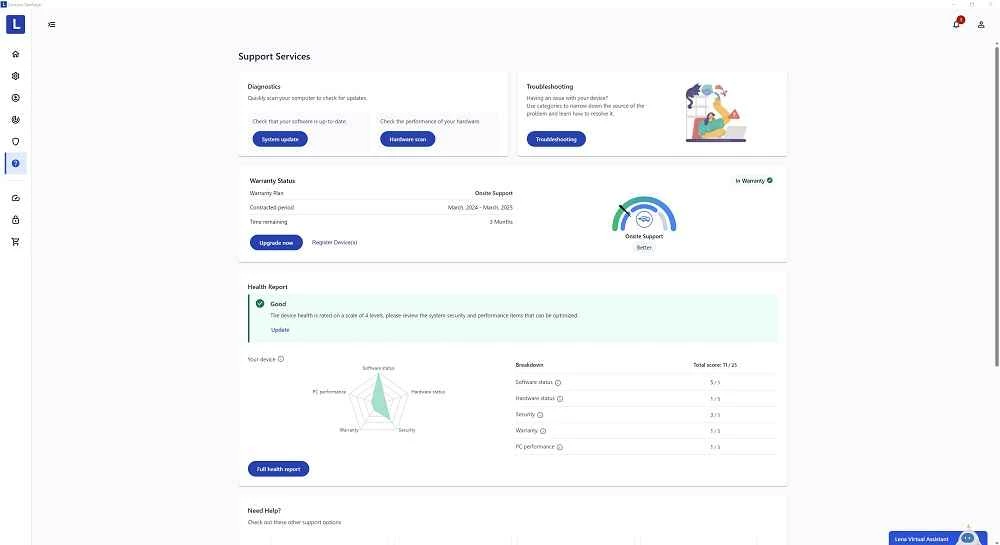
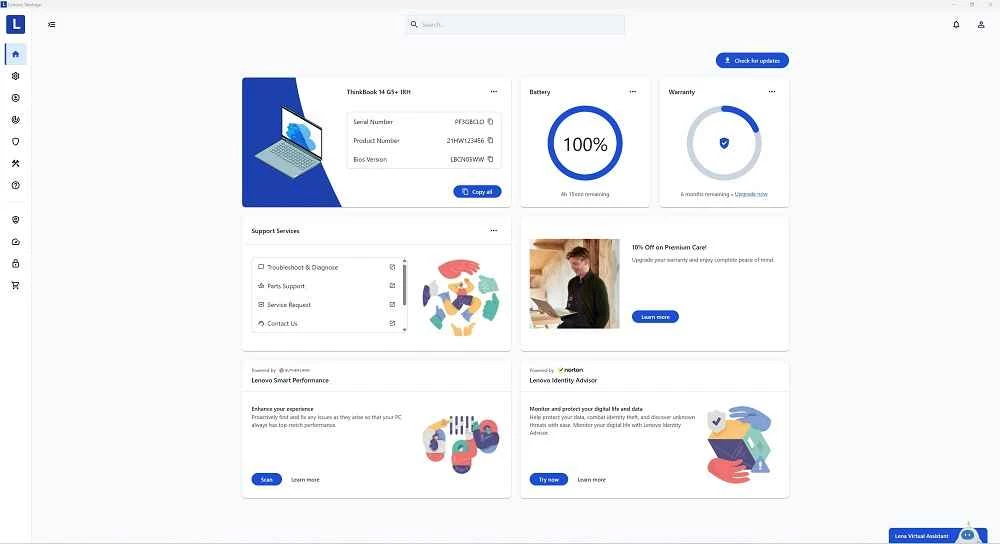
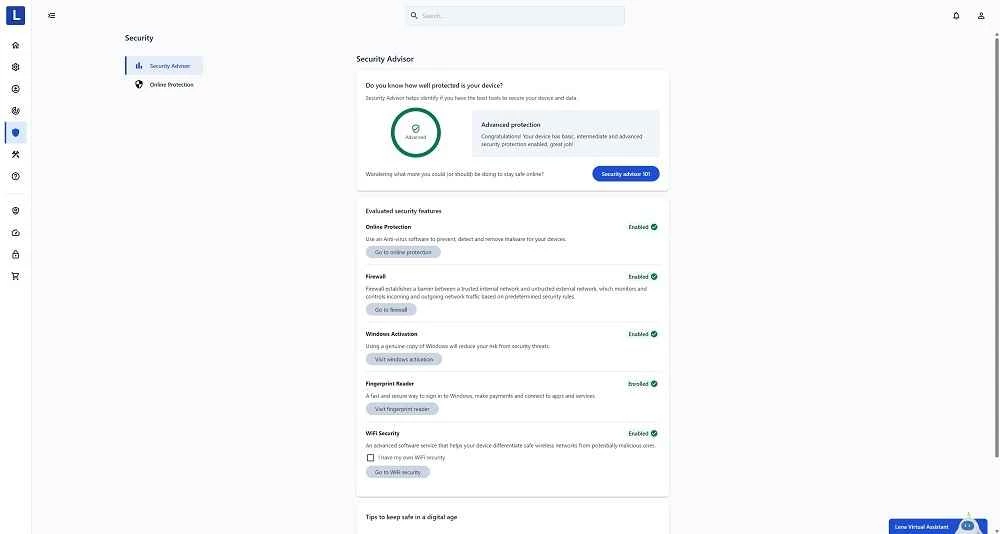
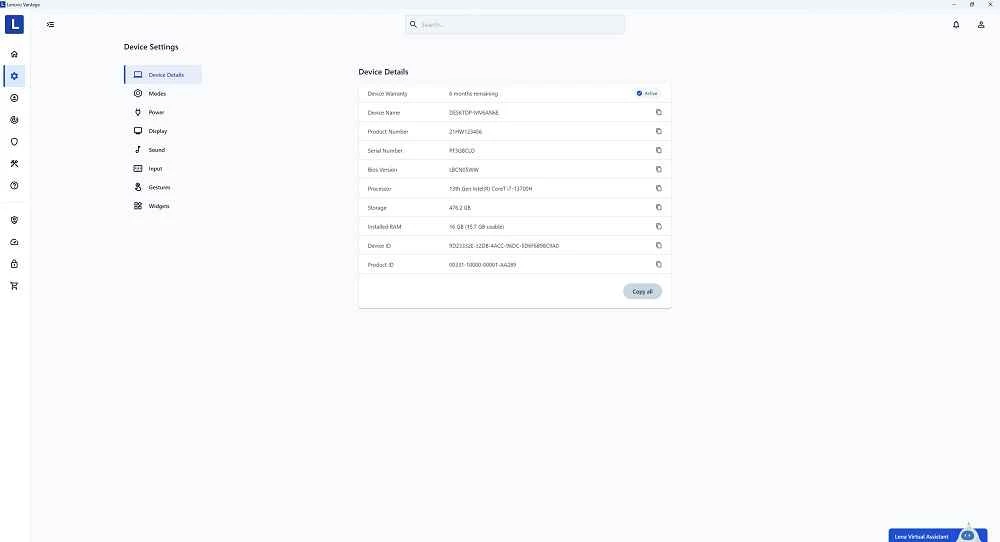
Lenovo Vantage 10.2606.12.0 is Lenovo's free companion app for Lenovo PCs on Windows 11 and Windows 10. It helps optimise performance and enables device security protection, and you can download it from Lenovo's official site or it may already be preinstalled on your laptop.
| Item | Details |
|---|---|
| Version | 10.2606.12.0 |
| Developer | Lenovo |
| Systems | Windows 11, Windows 10 (not Windows 10 IoT) |
| Hardware | Lenovo PCs |
| Price | Free |
| Size | about 813.24 MB according to catalogue data |
Lenovo Vantage is the manufacturer's own tool for looking after a Lenovo computer. Lenovo describes it as an app that optimises your computer's performance and enables device security protection on Windows 11 and Windows 10 PCs, and it was created specifically for those systems. In practice that means one place, made by the company that built the hardware, where you look after the machine instead of collecting separate utilities from different sites. What exactly you see inside depends on your model, since laptops, desktops and gaming machines differ. Because the app is tied to Lenovo hardware, it adds little on a computer from another brand, and on a Lenovo it is worth keeping, since it comes from the same source as the device itself.
Gaming laptops use a separate edition described on Lenovo's Vantage for gaming page, and business models have Commercial Vantage.
Lenovo Vantage comes from the hardware manufacturer, so the official copy is the right source for tools that touch your system. Avoid driver packs and optimiser tools from unknown sites that promise to do the same job, since they are a common source of unwanted software. If the app ever asks to update something while you are in the middle of work, postpone it rather than interrupting the process halfway.
Owners of HP devices use HP Smart from our listings. For hardware information on any PC, CPU-Z and CrystalDiskInfo show processor and disk details.
Google Play is Google's digital distribution platform. On Windows, Google offers Play content through the browser and Google Play Games on PC.
Media Creation Tool is a free Microsoft utility that downloads Windows and turns it into a bootable USB flash drive or an ISO file.

LDPlayer is an Android emulator for Windows that runs mobile apps and games on a computer.

BlueStacks is an Android emulator for Windows that lets you run Android apps and games on your PC.
Rufus is a free Windows utility that turns a USB stick into a bootable installer. The current version is 4.15.

PC App Store is a free software store for Windows from Baidu for finding, installing and updating PC programs. This page covers version 5.0.1.8682.

Uptodown App Store for Windows is the desktop client of Uptodown, a marketplace for desktop software and mobile apps. This page covers version 1.0.3.
NoxPlayer is a free Android emulator from Bignox for Windows and macOS that runs mobile games and apps on a computer with keyboard and mouse control.